ScummVM-SDL 1.5.0git-2625 - Games - File Catalog - Android Games Development
Android Games Development Sunday, 05.20.2012, 11:31 AM
Welcome Guest | RSS
Site menu

Section categories
Games [11]
Emulators [4]
Applications [1]
Manuals [0]

Our poll
Rate my site
Total of answers: 294

Statistics

Total online: 1
Guests: 1
Users: 0

Login form
E-mail:
Password:


Main » Files » Games

ScummVM-SDL 1.5.0git-2625
[ Download from this server (10.30Mb) ] 11.18.2010, 9:43 PM
ScummVM-SDL 1.5.0git-2625  updated 01.03.2012

http://www.scummvm.org

builded with native google ndk & pelya's SDL-lib
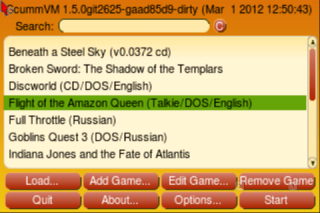


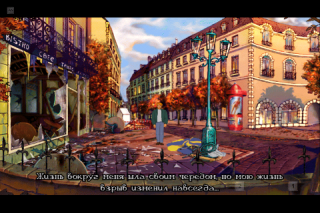
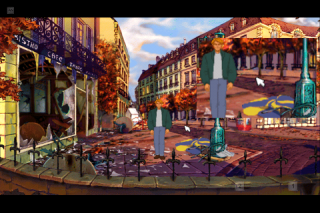
Small magnifying glass mode
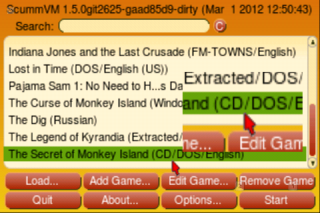

Tiny mode:

Tiny, touchpad mode (with scrolling)
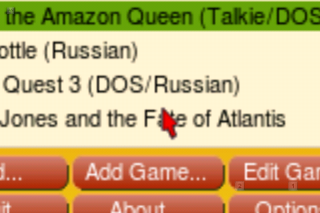

scummvm gui with 2x and normal mode (by default used 2x gfx mode)
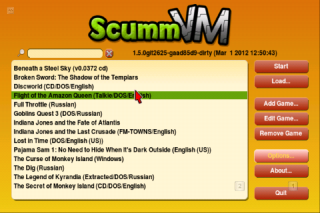

Some recommedation for device with low-resolution screen. Use 'Option' button then change 'Graphics mode:' to Normal (no scaling)
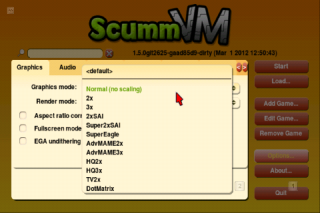

Smooth video mode is enabled by default, but you can disable if needed

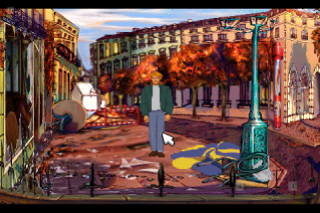
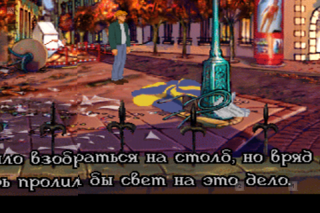
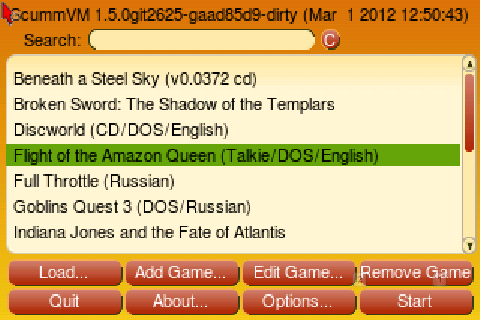
screen with 'Smooth the video' enable (480x320)
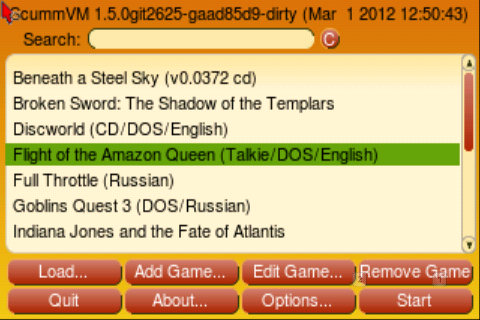

screen with 'Smooth the video' disable (480x320)

List of supported features in settings:

Data installation location
- Internal storage
- SD card storage
- custom location
Downloads
- Scummvm app-data
- games list...
Additional Control
- On-screen keyboard
- Accelerometr
On-screen keyboard
- On-screen keyboard theme
- On-screen keyboard size
- Size of button images
- On-screen keyboard transparency
- Remap on-screen control
---On-screen joystick
---On-text input button
---On-screen button 1...6
- Customize on-screen keyboard layout
Mouse emulation
- Mouse emulation mode
--- Tiny, touchpad mode
--- Tiny
--- Small, magnifying glass
--- Small, touchpad mode
--- Large (tablet)
- Left mouse click
--- Normal
--- Touch near mouse cursor
--- Touch screen with second finger
--- Touch screen with force
--- Physical key
--- Hold at the same spot
--- Tap
--- Tap or hold
- Right mouse click
--- Disable right mouse click
--- Touch screen with second finger
--- Touch screen with force
--- Physical key
--- Hold at the same spot
- Advanced features
--- Move mouse with joystick or keyboard
--- Left mouse click with trackball / joystick center
--- relative mouse movement (laptop mode)
- Move mouse with joystick speed
- Calibrate touchscreen
What kind of navigation keys does device have
- Arrows/joystick/dpad
- Trackball
- Touchscreen only
Accelerometr Sensivity
Size of audio buffer
- Very small
- Small
- Medium
- Large
Remap phisical key
Two-finger screen gestures
- Zoom in two-finger gesture
- Zoom out two-finger gesture
- Rotate left two-finger gesture
- Rotate right two-finger gesture
Video Setting
- Keep 4:3 screen aspect ratio
- Smooth the video
- Separate thread for video

Recommendations:
- better to select ' Large (tablet)' mouse mode on start
- if you have sound cracking then please change size of audio buffer in sdl-settings
- if your device have hardware button then please disable (or decrease) on-screen buttons in sdl-settings
- if your device not have additional buttons, but it required in some games for some functions then you can increase and remap on-screen buttons or as two-finger gestures in sdl-settings
- to call scummvm menu use scummvm on-screen keyboard 'CTRL+F5'
- to call game menu use scummvm on-screen keyboard 'F5'
- to text input you can use scummvm or sdl on-screen keyboard
- 'Smooth the video' mode is enabled by default, but you can disable in sdl-settings
- to access by finger on top part of screen (it needed by some games like goblins3, beneath of sleel sky, lost in time) (it needed for some types capacitive screens) please calibrate touchscreen in sdl-settings
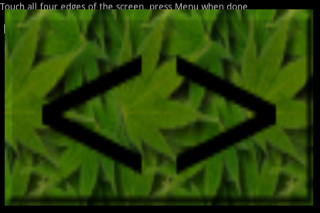

Control: (15.03.2011)
virtual keyboard - on-screen 2 key or volume up key (F7)
cursor on top screen - search key (RALT)
right mouse click - on-screen 1 key or volume down key or menu key or Touch screen with second finger or Touch screen  with force (LALT)
left mouse click - Ok key or touch screen or
Touch screen with force (RCTRL)
global menu - menu key or virtual keyboard (LCTRL+F5)
game menu - virtual keyboard (F5)

on-screen key (1- right mouse click, 2 - virtual keyboard, 3 - scummvm menu)
associated sdl key (RCTRL - Left mouse click, LALT - Right mouse click, RALT - set cursor on top screen)

updated 01.03.2012
- updated to scummvm 1.5.0git2625 (01.03.2012)
- updated to latest version of pelya's SDL-lib (01.03.2012)
- added support freetype and AAC-decoder
- speed optimization and bugfix and much more...

Warning:
Change setting always possible on start when SDL logo displayed

Download

scummvm-cfg-pelyasdl.tar.gz only for developers
Category: Games | Added by: lubomyr
Views: 30531 | Downloads: 8164 | Comments: 164 | Rating: 4.3/22
Total comments: 1641 2 3 ... 10 11 »
0  
163 SquallStrife   (03.06.2012 7:10 AM)
I mapped an on-screen key to UP, DOWN, LEFT and RIGHT, but rather than moving the character, they just move the mouse cursor. What do I need to do to get arrow key functionality for AGI and SCI games like SQ2 and 3?

0  
164 lubomyr   (03.06.2012 3:37 PM)
Try go to SDL-settings, when start scummvm
select 'Mouse emulation' then 'Advanced features' and disable 'Move mouse with joystick or keyboard'
not tested, but can works
Also you can enable 'on-screen joystick'.
all arrows will be assigned by default to up,down,left,right

0  
161 pflow   (02.14.2012 5:18 PM)
Hi lubomyr,
This port rocks, coming to a new sweet device (xperia play) i would donate if the next amenagement of scummvm would support analog touchpad to control the mouse cursor effectively. this apps will be reviewed in every xpp fansite. It's really the only thing we need. Thanks reading.

0  
162 lubomyr   (03.02.2012 0:25 AM)
Please try use or update to latest version of scummvm-sdl, and post me log-file. You can use alogcat from market

0  
160 bainnabaign   (02.07.2012 8:23 AM)
[url=][/url] [url=][/url] [url=][/url] [url=][/url] [url=][/url] [url=][/url]

0  
159 back link service   (02.05.2012 9:59 PM)
hiya anddev.at.ua owner discovered your website via search engine but it was hard to find and I see you could have more visitors because there are not so many comments yet. I have found website which offer to dramatically increase traffic to your blog http://xrumerservice.org they claim they managed to get close to 1000 visitors/day using their services you could also get lot more targeted traffic from search engines as you have now. I used their services and got significantly more visitors to my blog. Hope this helps :) They offer most cost effective <a href=http://xrumerservice.org>backlinks service</a> Take care. Jason

0  
156 MMM   (01.28.2012 8:47 PM)
Can not find On-Screen magnifying glass option (as shown on screenshots above. Is there any way to disable it?

0  
157 lubomyr   (01.29.2012 6:43 PM)
Go to SDL-setting
'Mouse emulation' -> 'mouse emulation mode' and select 'Large (tablet)'
Magnify glass will be disabled

0  
155 Badsendagma   (12.12.2011 6:17 PM)
How do you think, who this year won the Champions League Cup?

0  
154 lumpi   (11.24.2011 5:39 AM)
On wich menu can i disable the on screen buttons (1,2...) ?

0  
158 lubomyr   (01.29.2012 6:48 PM)
Go to SDL-setting
'On-screen keyboard' -> 'Remap on-screen control'
remove tick from 'On-screen button 1', etc...

0  
151 Chuke01   (11.04.2011 8:37 PM)
Two petitions:

- Left mouse button touching the screen with one AND two fingers (good for old adventures with only one button), now you can't use both methods with the same button.

- Combine Two Keys in one virtual keyboard button (for example Alt+1 for quicksave)

Your job is awesome, far better than the official app.

Sorry for my english.

0  
153 lubomyr   (11.04.2011 11:55 PM)
Combine Two Keys in one virtual keyboard button not supported by SDL-lib. I'm not developer of libSDL for android and can't fix this features

0  
150 jeff   (11.03.2011 6:42 AM)
hi lubomyr,

is it possible to emulate mouse like on real dos (or windows scummvm) ?

i installed the latest version on some strange china android 2.2 laptop (wondermedia wm8650 10" netbook x6-10v) which features a mouse-pad with onscreen cursor (i even can connect a microsoft usb mouse)

i tried various settings but always end up with 2 cursors (game and android) and have to doubleclick or click-and-hold to move the game-cursor, the laptop mode is even more confusing in movement ;))

thank you!

0  
152 lubomyr   (11.04.2011 11:47 PM)
I don't known how it works with mouse pad
But you can use usb mouse
by default right click in android works as 'Back' (by default assigned as ESCAPE)
but in sdl-setting you can re-assign HW button 'back' as LALT, and right click will be work as right mouse click.
Now about cursors problem:
built in-game pointer cannot moving on-screen by mouse becouse old android API (except android 3.0 or higher) not support it. But in-system pointer works without problem with any Android OS

0  
149 lom   (11.02.2011 6:06 AM)
Hi lubomyr,

the new version works great on my Optimus2x with Tegra2. I use second video thread also.
Thanks!

Regards,
lom

1-10 11-20 21-30 ... 91-100 101-104
Name *:
Email:
Code *:
Search

Site friends
  • Create a free website
  • EXL's Developer Blog
  • Port of libSDL


  • Copyright lubomyr © 2012Website builder - uCoz